
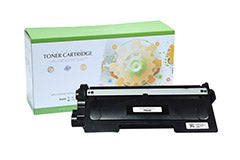
Description:
Brother TN660 high-yield compatible toner cartridges produce up to 2,600 crisp black prints per cartridge, ensuring reliable performance for home offices and business environments. Compatible with a wide range of Brother monochrome laser printers, this cartridge is engineered for consistent text sharpness and clean graphics. Each cartridge is individually quality-tested to meet ISO/IEC 19752 page yield standards and installs easily for hassle-free replacement. Specifications Page Yield: Up to 2,600 pages at 5% coverage (per ISO/IEC 19752)
ADD 4 CARTRIDGES TO YOUR CART AND RECEIVE AUTOMATIC DISCOUNT!
Key Features
-
Page Yield: Up to 2,600 pages (ISO/IEC 19798 standard)
-
Certified Quality: ISO 9001 & STMC certified manufacturing facilities
-
Reliable toner cartridges that really work for office printers
-
Chip Technology: Integrated chip for immediate printer recognition
-
Warranty: Lifetime 100% Satisfaction Guarantee exchange or refund
-
Super fast shipping to U.S. and Canada 1 to 3 working days
-
Free shipping on all orders $49 and over.
-
Eco-Friendly: toner cartridges IP Compliant with respect to trade patents
-
Bulk Order: Purchase discounts with standard or High page yield toner cartridges
-
Not All Toners are the Same: Static control are different
TECHNICAL SPECS
-
Color: Black
-
Yield: 2,600 Pages per Cartridge
-
Type: Compatible Brother Premium Toner Cartridge
-
Part: TN-660
-
Warranty: Lifetime guarantee
FREQUENTLY ASKED QUESTIONS
What is the page yield of the compatible Brother TN760 toner cartridges?
The TN660 is a high-yield toner cartridge that can print up to 2,600 pages at 5% coverage, making it ideal for high-volume printing.
Which printers are compatible with the TN660 toner cartridge?
The TN660 is compatible with various Brother printers, including models such as the
DCP-L2520DW,
DCP-L2540DW,
HL-L2300D,
HL-L2305,
HL-L2315,
HL-L2320D,
HL-L2340DW,
HL-L2360DN,
HL-L2380DW,
MFP-L2680,
MFP-L2700D,
MFC-L2705,
MFC-L2707,
MFC-L2720,
MFC-L2740DW,
How do I install or replace the Brother compatible TN660 toner cartridge?
To install the TN660 toner, turn off your printer, open the front cover, remove the drum unit, press the green lock lever to detach the old cartridge, and then insert the new cartridge after shaking it to distribute the toner evenly. Ensure the cartridge clicks into place, clean the corona wire, and reinsert everything back into the printer.
What should I do if my printer displays a 'Toner Low' or 'Replace Toner' message after replacing the TN660 toner cartridge?
This issue may occur when the toner counter hasn't been reset. This is caused by a defective or poor quality chip. Contact your place of purchase and ask for a replacement cartridge or refund.
Can I use the TN630 toner instead of TN660?
Yes, the TN630 is a standard-yield version of the TN660. The TN630 has a lower page yield (approximately 1,200 pages) compared to the TN660, which prints around 2,600 pages. Both cartridges are physically the same size and compatible with the same printer.
What should I do if I encounter poor print quality with the compatible Brother TN660 toner cartridge?
If you notice faded prints or streaks, try redistributing the toner by gently shaking the cartridge. Also, ensure that the corona wire inside the drum unit is clean, as this can affect print quality. Brother printers often have a toner save mode, which can extend cartridge life, but it may result in lower-quality prints for drafts. If this does not help, contact your place of purchase to ask for a replacement toner cartridge or refund.
How do I properly store compatible TN660 toner cartridges?
Store unused toner cartridges in their original packaging in a cool, dry place, away from direct sunlight. Proper storage helps prevent damage to the cartridge and ensures that the toner remains in good condition.
